
What should a documentation AI assistant do?
Define the jobs a documentation AI assistant should handle: finding pages, explaining docs, bringing context into coding tools, surfacing gaps, and knowing when not to answer.
A documentation AI assistant should make maintained documentation easier to use.
That can mean finding the right page, explaining information across several pages, bringing documentation into a coding tool, or showing the docs team where readers still cannot find an answer.
It should not become a second source of product truth.
A useful way to define the assistant is by the reader problem it solves.
| Reader need | Best route | What it should do |
|---|---|---|
| Find a documentation page | Search | Return relevant pages the reader can open and inspect |
| Understand something already documented | Ask AI | Explain the documentation and show the supporting sources |
| Use documentation while coding | Docs MCP | Make project documentation available inside a compatible AI client |
| Find recurring unanswered questions | Analytics | Surface common questions and Content Gaps for the docs team to review |
| Ask something the documentation does not establish | Ask AI or support path | Say that the available sources do not support the answer and point to the appropriate next step |
These jobs can overlap, but they solve different problems.
Use Search when the reader wants a page
Sometimes the reader does not need an AI-generated answer. They need the right documentation page.
A developer searching for an authentication reference, API endpoint, configuration option, or migration guide should be able to find and open that source directly.
Biel.ai Search uses semantic search to help readers find relevant documentation even when their wording does not exactly match the page title or navigation.
Ask AI can also be available from the search experience when the same query needs more explanation.
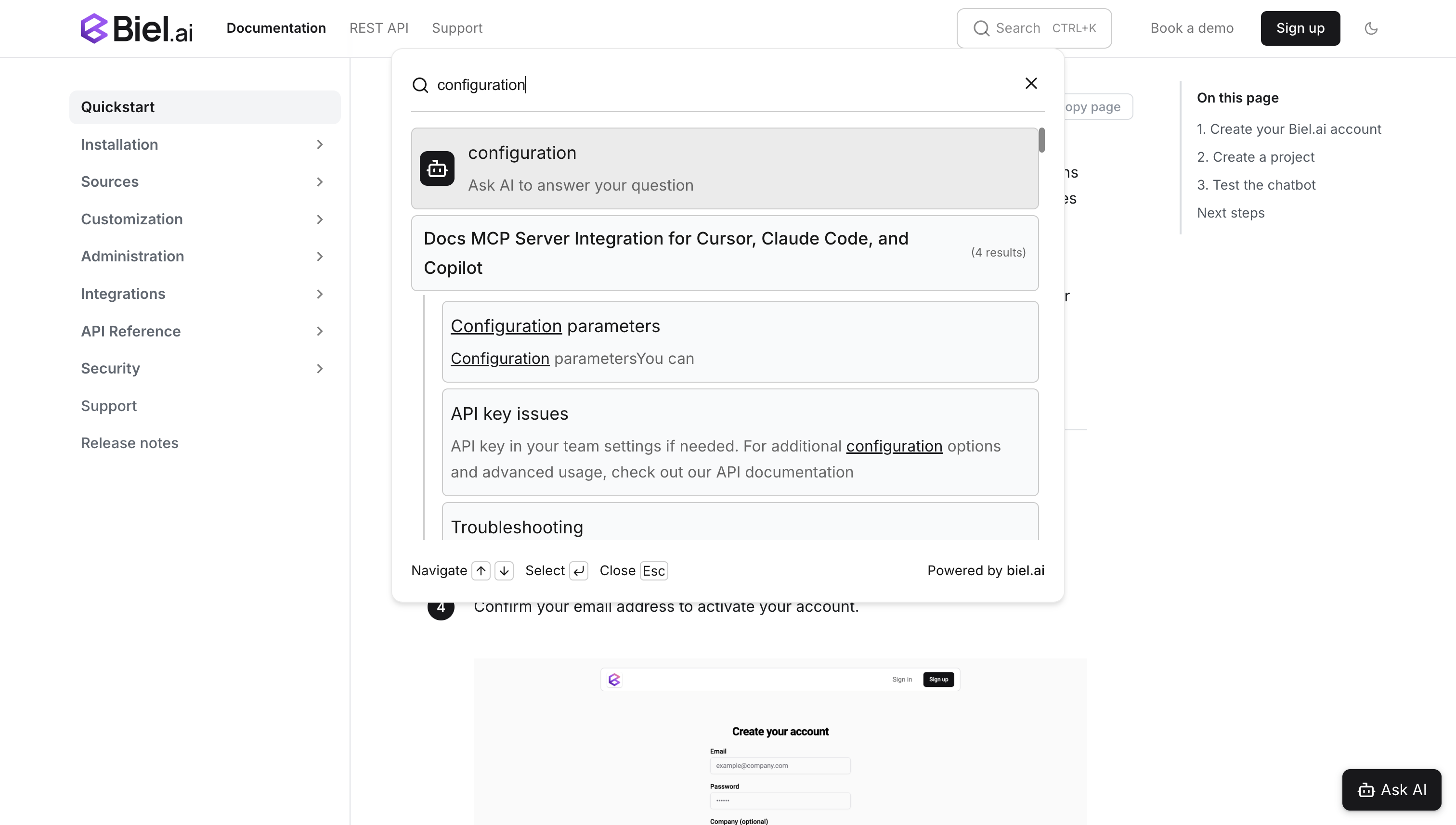
Search returns documentation pages first, while Ask AI can take the same query into an explanation when the reader needs more context.
For the setup and configuration workflow, see how to add AI search to a developer portal.
Use Ask AI when the reader needs an explanation
Ask AI is useful when the documentation contains the answer but the reader needs help interpreting it.
For example, a question about how several authentication settings work together may require information from a guide, API reference, and troubleshooting page.
The assistant can retrieve those sources and explain the relevant information without making the reader assemble the answer manually.
The important boundary is the documentation itself. If the configured sources do not establish the procedure or product behavior, the assistant should not turn a plausible guess into an answer.
Biel.ai projects can use sources including websites, files, GitHub repositories, OpenAPI specifications, Confluence spaces, and private content. See the Sources overview for current source options.
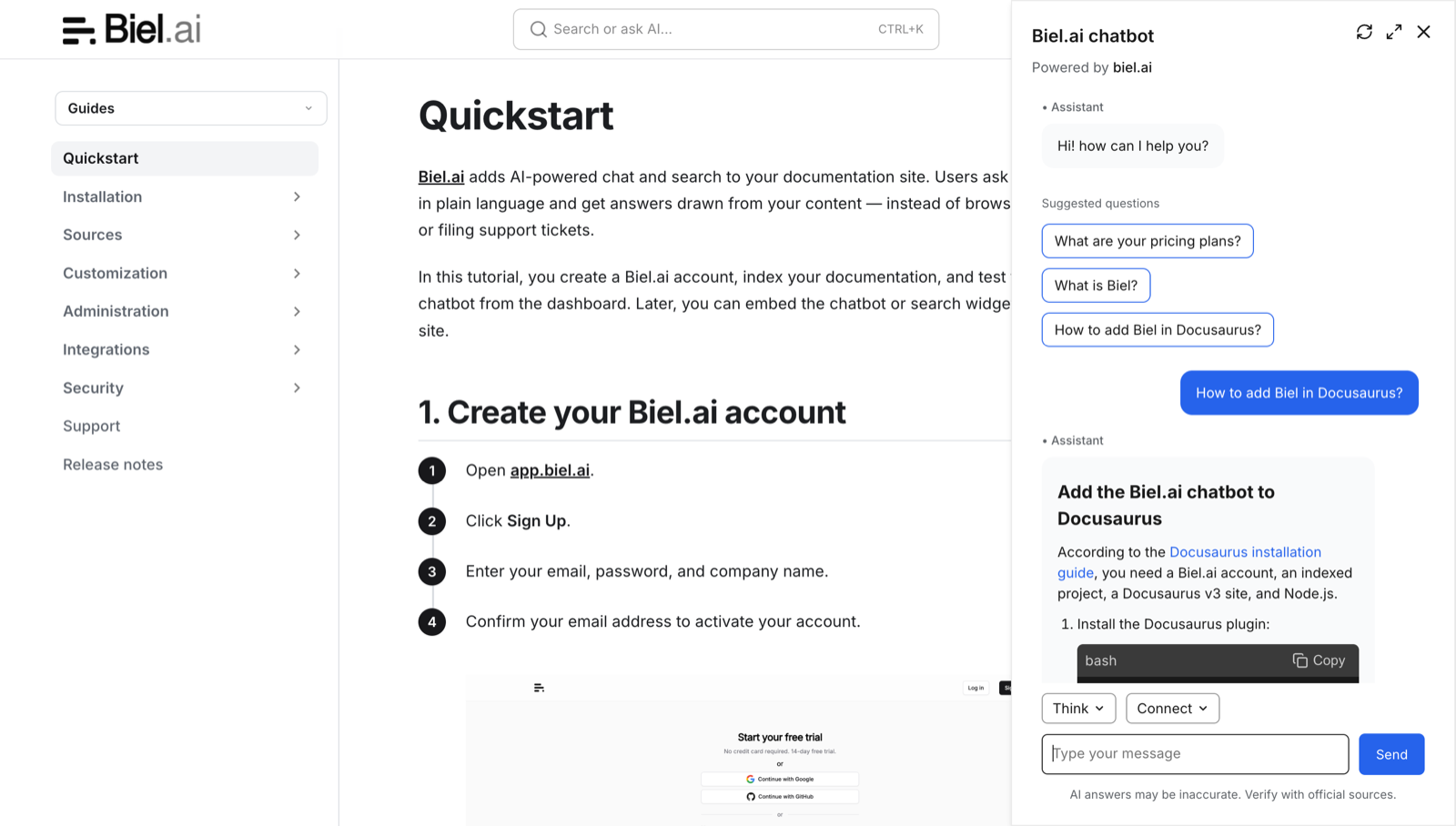
Ask AI can help a reader interpret the indexed documentation. Check the linked source when the task needs an exact implementation detail.
For a practical answer-quality review, see how to evaluate a docs chatbot before you ship.
Use Docs MCP when developers need documentation while coding
Developers often leave their editor to check an API reference, configuration guide, or troubleshooting page.
Docs MCP gives compatible AI clients another way to access indexed documentation while the developer is working.
Biel.ai provides a hosted Docs MCP server for eligible projects on Business and Enterprise plans, for compatible clients such as Claude Code, Cursor, and Copilot.
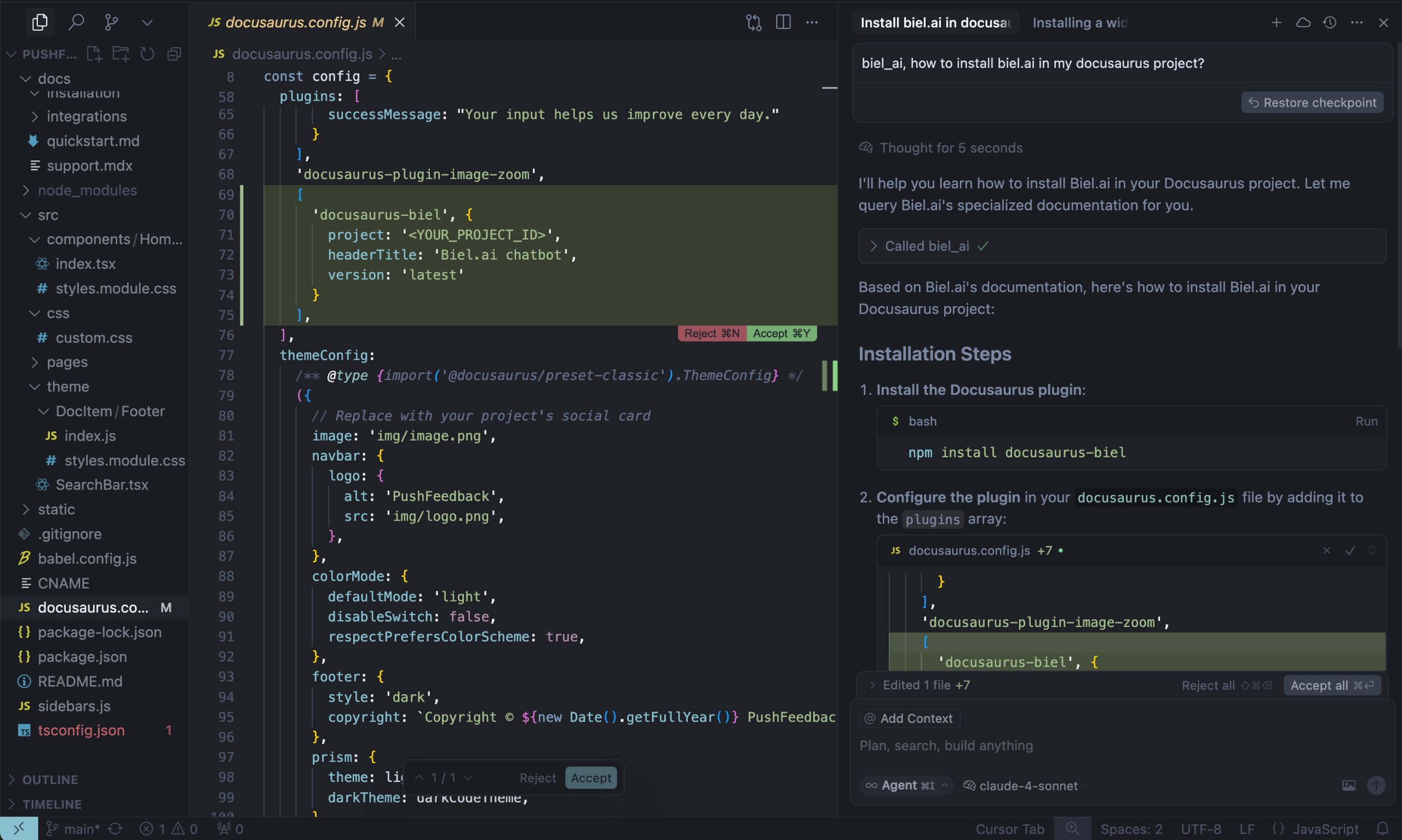
Docs MCP can bring indexed product documentation into an AI coding client while a developer works. Here, the client calls biel_ai for Docusaurus installation guidance.
MCP is most useful when developers repeatedly need product documentation during implementation. It is less useful when opening the documentation site already solves the task quickly.
For the broader decision between public docs, llms.txt, and MCP, see crawlable docs, llms.txt, or MCP: which should you use?.
Use unanswered questions to improve the documentation
A good documentation assistant can also show the team what readers continue to ask.
Biel.ai Analytics groups common questions and Content Gaps by semantic similarity. Content Gaps show questions the chatbot could not answer from the indexed documentation.
That gives the docs team somewhere useful to investigate.
A repeated unanswered question might mean:
- no relevant page exists
- an existing page is incomplete
- the documentation uses terminology readers do not use
- two sources conflict
- the reader is asking for unsupported product behavior
Do not automatically create a new page for every gap. Read the relevant documentation first and decide what actually needs to change.
For a practical workflow, see how technical writers use chatbot analytics to improve documentation quality.
Know when the assistant should not answer
One of the assistant's jobs is knowing when the documentation does not support a reliable answer.
That can happen when:
- the requested procedure is not documented
- the question requires account-specific information
- the answer depends on a security or support decision
- the available sources conflict
- the reader is asking for unsupported product behavior
In those cases, the assistant should make the limitation clear and direct the reader to the appropriate documentation, support, or product route.
That is better than generating a confident procedure from incomplete information.
Keep the responsibilities simple
You do not need a separate operating model for every AI feature.
For an important reader task, ask:
- Is there a page the reader should be able to find?
- Is there documentation Ask AI can use to explain the task?
- Would access through MCP help someone while coding?
- Are recurring unanswered questions showing a documentation problem?
- What should happen when the documentation does not contain the answer?
Start with the routes that solve a real reader problem and add others only when they improve the experience.
Frequently asked questions
Can one documentation task use both Search and Ask AI?
Yes. A reader may use Search to find the relevant page and Ask AI when they want an explanation based on the documentation.
Should every documentation site have Search, Ask AI, and MCP?
No. Use the routes that match how your readers work. A public documentation site may benefit from Search and Ask AI, while MCP is more relevant when developers want the same documentation inside compatible coding tools.
What should happen when Ask AI cannot answer a question?
The assistant should avoid inventing a procedure. It can explain that the available documentation does not establish the answer and point the reader to the appropriate documentation or support path.
Can analytics tell us what documentation to write next?
It can show recurring questions and Content Gaps worth investigating. The docs team still needs to read the current source and decide whether the right response is a new page, an improvement to an existing page, clearer terminology, or something outside documentation.
Give each AI feature a useful job
Use Search to help readers find pages, Ask AI to explain maintained documentation, Docs MCP to bring that documentation into compatible coding tools, and Analytics to surface recurring reader needs.
When the documentation does not support an answer, make that limitation clear instead of asking the assistant to guess.
If you want to test these routes on your own documentation, create a Biel.ai project and add the sources you want readers and tools to use.