
Think mode: reasoning for questions that aren't a lookup
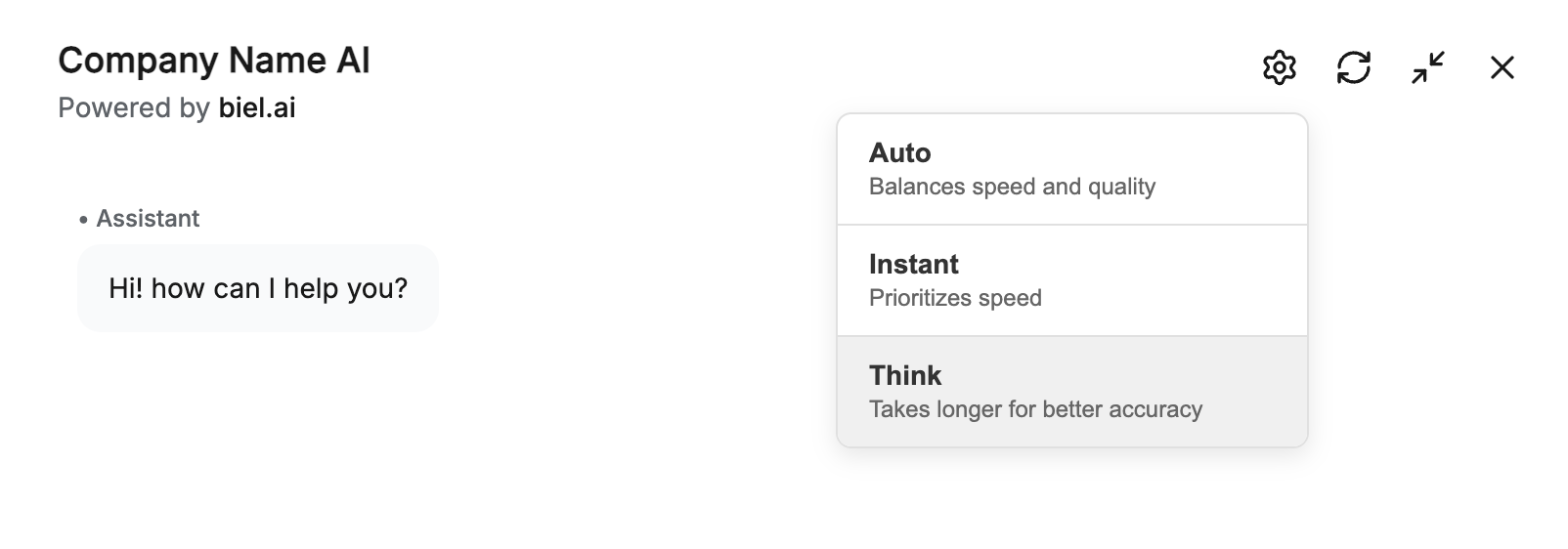
Some questions aren't a lookup. "Which plan fits a team of 12 with SSO?" needs the chatbot to compare options and reason, not retrieve one paragraph. Think mode lets it do that.
Think mode is a reasoning setting with three levels: Auto picks per question, Instant answers fast for simple lookups, and Think reasons through multiple steps before responding.
A few ways this plays out:
- A user asks how two features interact, and the chatbot works through both docs pages before answering instead of quoting one
- A "should I use X or Y for my case?" question gets a reasoned comparison, not a feature dump
- A multi-part question ("does this work with SSO, and what does it cost?") gets each part addressed in order
You turn it on in Settings > Chatbot > Reasoning. Auto is a good default: it keeps simple questions fast and only spends the extra reasoning on the ones that need it. The reasoning modes docs have the full walkthrough. Think mode is available on Professional plans and up.
One tip: leave it on Auto rather than forcing Think everywhere. Forcing Think on simple lookups makes answers slower for no gain, and the point of Auto is that it already escalates when a question actually needs the extra steps.
Want help picking the right default for your docs? Hit reply and we'll set you up.