
See the questions your docs can't answer
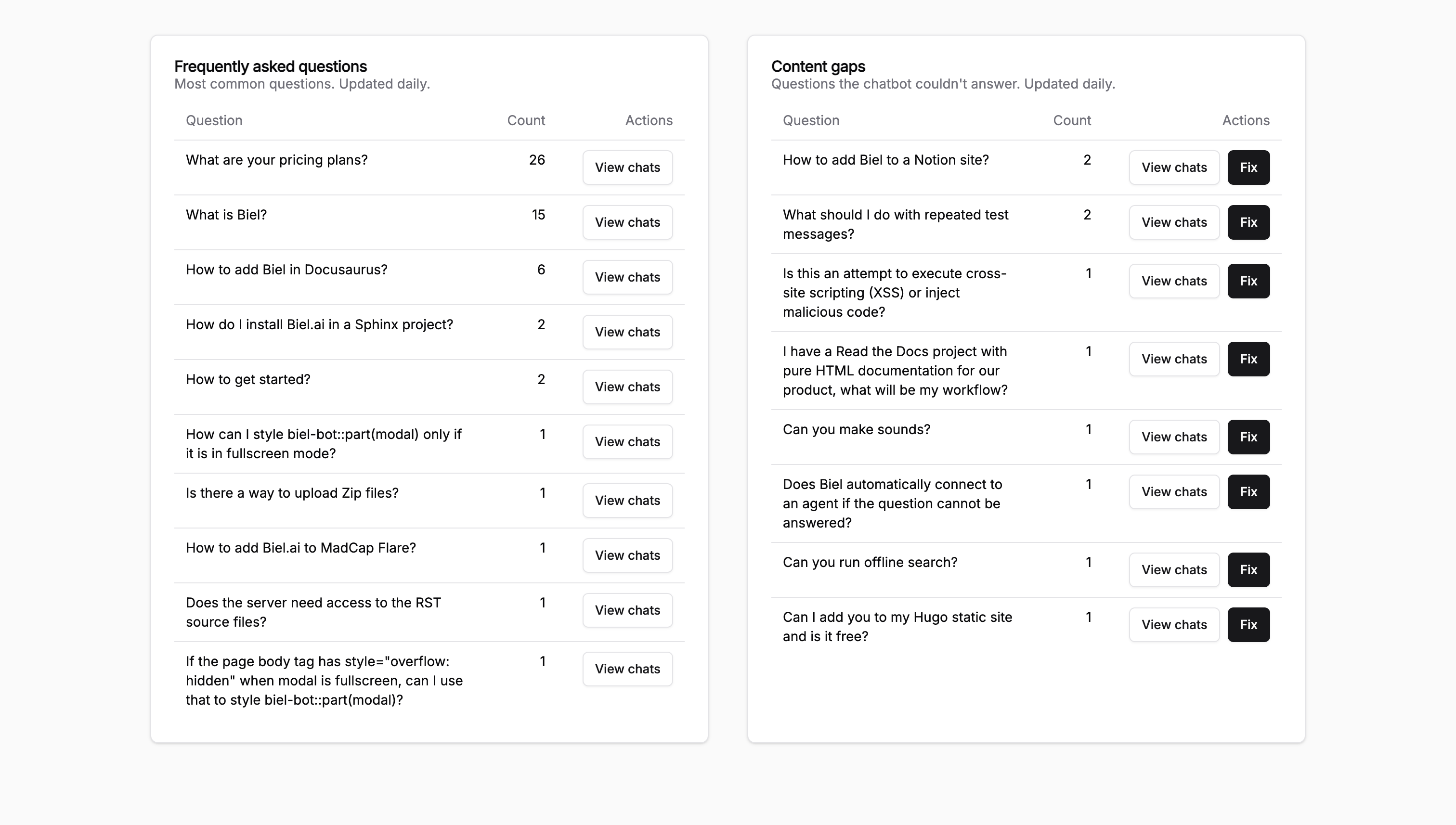
You can't fix a gap you can't see. Content Gaps groups the questions people actually ask the chatbot and surfaces the ones your docs don't answer, ranked by how often they come up.
A few ways this plays out:
- A feature you shipped last quarter draws 40 questions a week, and none of them resolve cleanly: that cluster lands at the top of the list
- Users keep asking the same install question three different ways, and you see it as one ranked item instead of three scattered logs
- A topic your team assumed was covered shows up as a gap, because the answer lives in a place the chatbot can't reach
Turn it on under Analytics > Content Gaps in the dashboard. The analytics docs walk through how clusters are scored and how to read the rankings.
One tip: work the list top-down for a month. The highest-frequency gap is almost always one page or one section, and closing it moves your answer rate more than ten small edits scattered across the docs.
For the bigger picture on what these numbers mean, see how to tell if your documentation chatbot is actually working and how technical writers use AI chatbot analytics to drive documentation quality.
Want help reading your first set of gaps? Hit reply and we'll walk through them with you.